
- Physical Card Setup Tutorial -
Android system
- Illustrated Explanation -
【1. Turn on the internet】
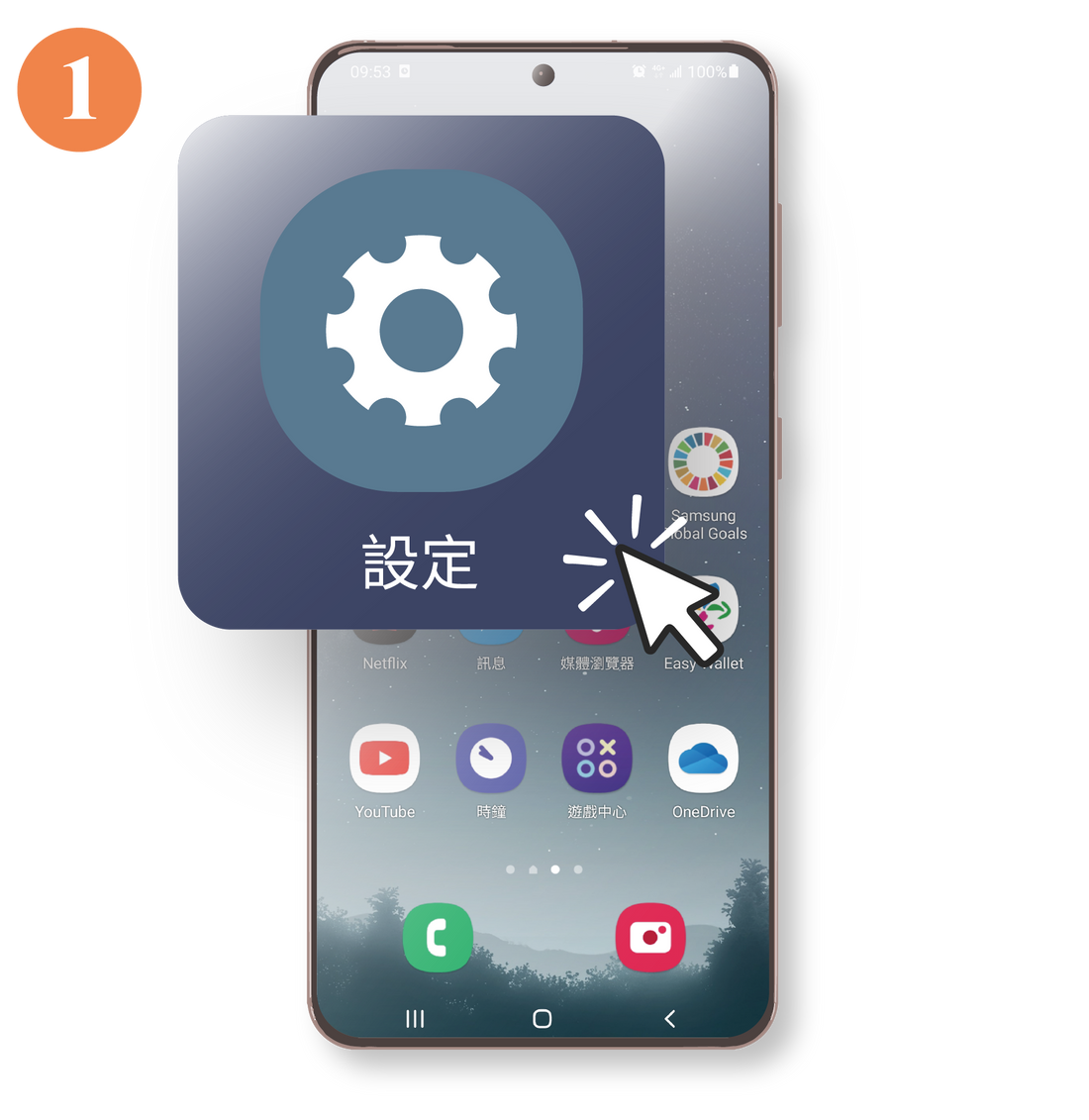
Select " Settings "
Sample model: Samsung S23ultra
ONE UI 6.1/Android 14
💡The name will vary depending on the phone model and software version.
💡 Simply enable mobile data and data roaming to access the internet.
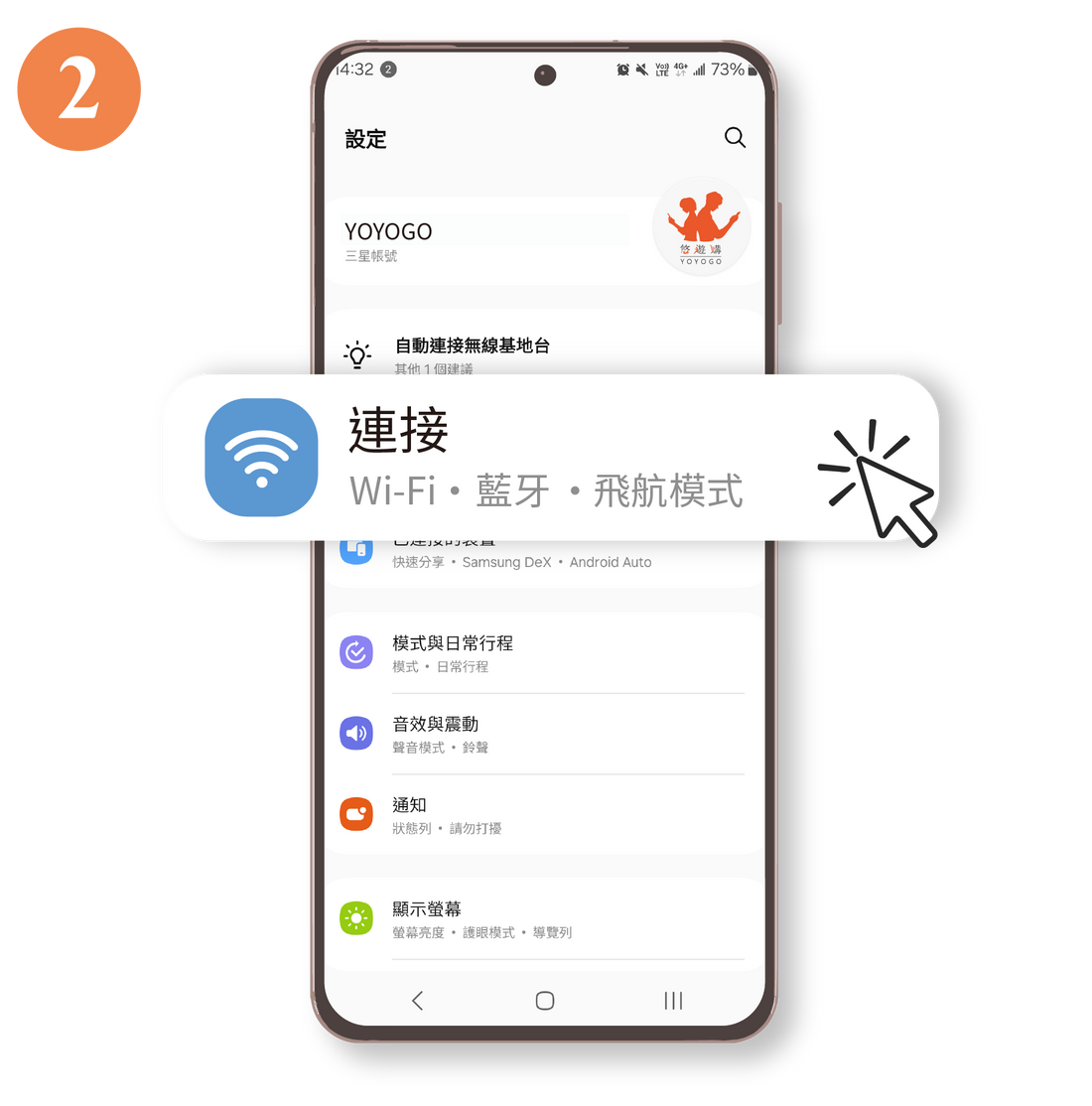
Click " Connect "
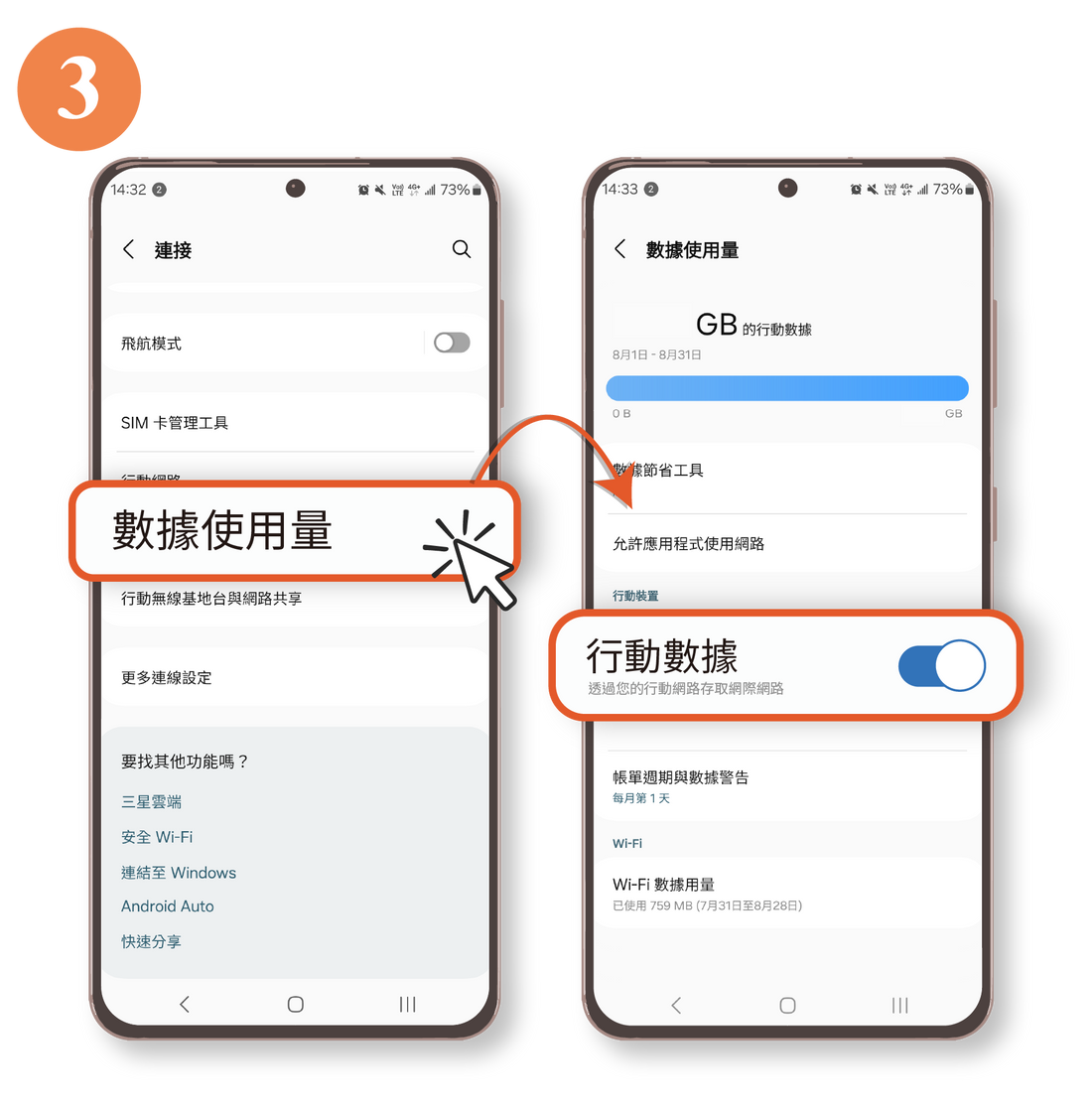
Select " Data Usage " >
Enable " Mobile Data "
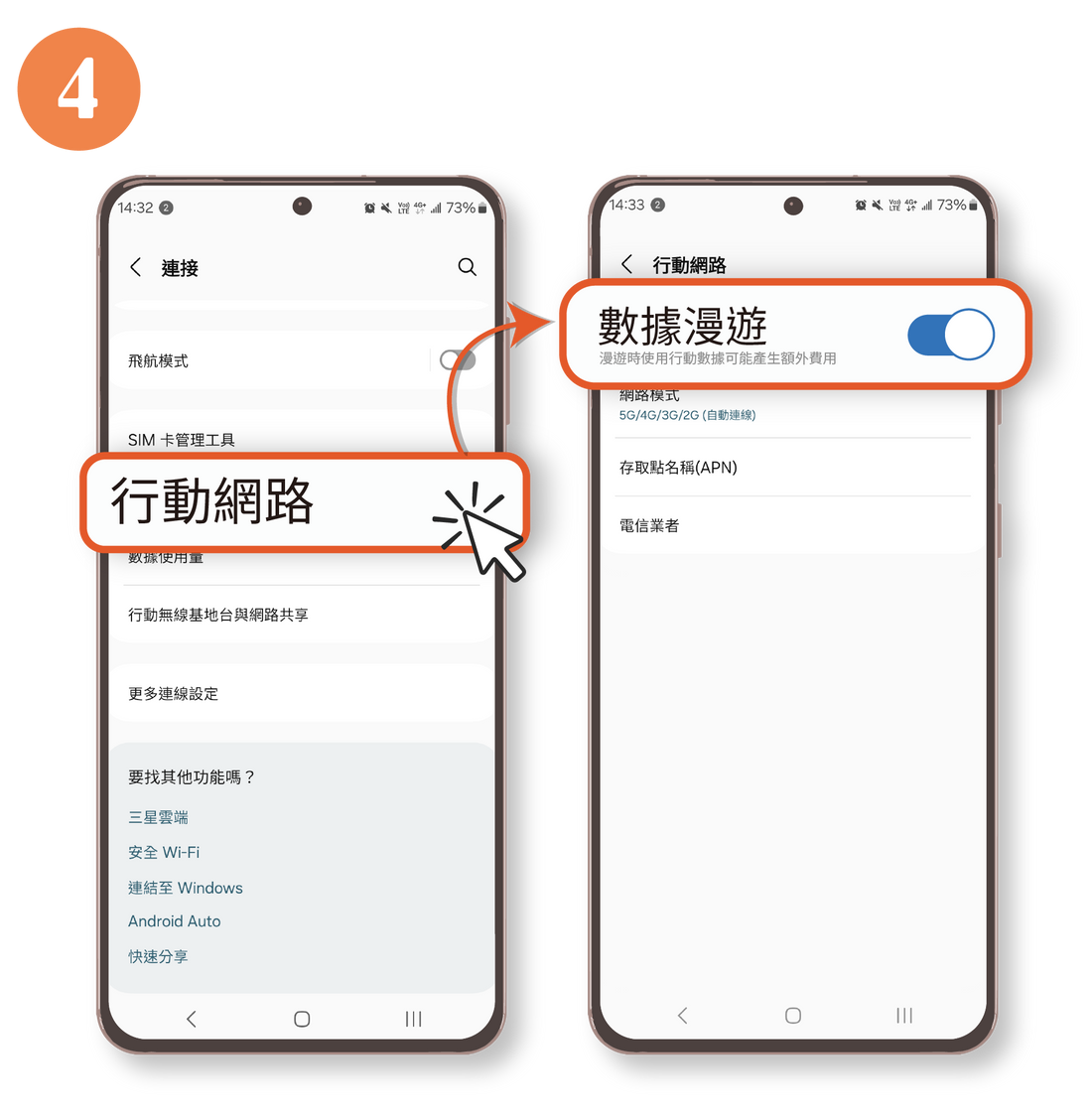
Select " Mobile Network " >
Enable " Data Roaming "
💡 After this step is completed, your phone will automatically connect to the internet.
If the connection fails to connect automatically, proceed to the next step 👇
【2. APN Settings】
⚠️If you have already successfully connected to the internet, you can skip this step.
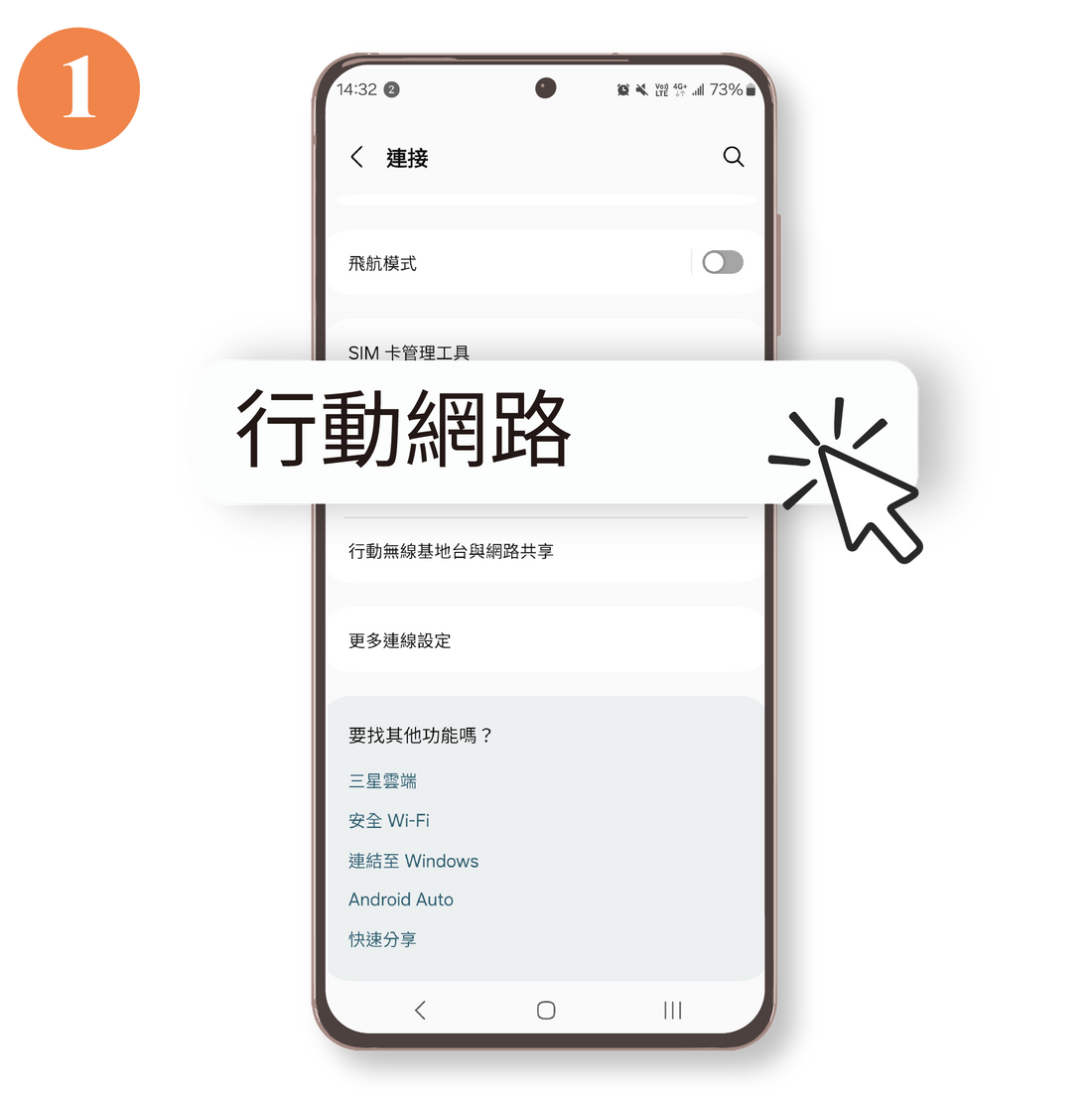
Enable " Mobile Data "
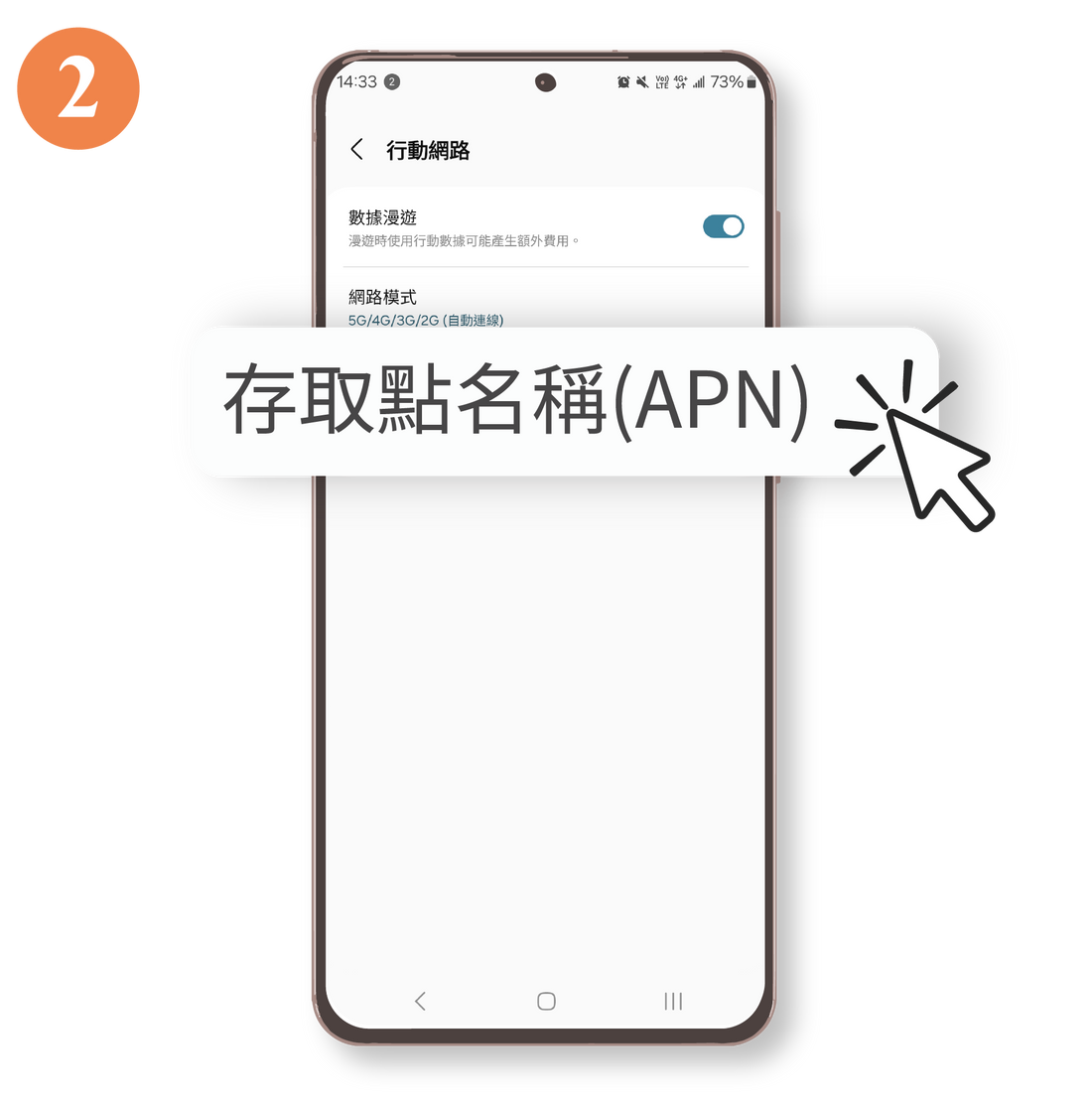
Select " Access Point Name "
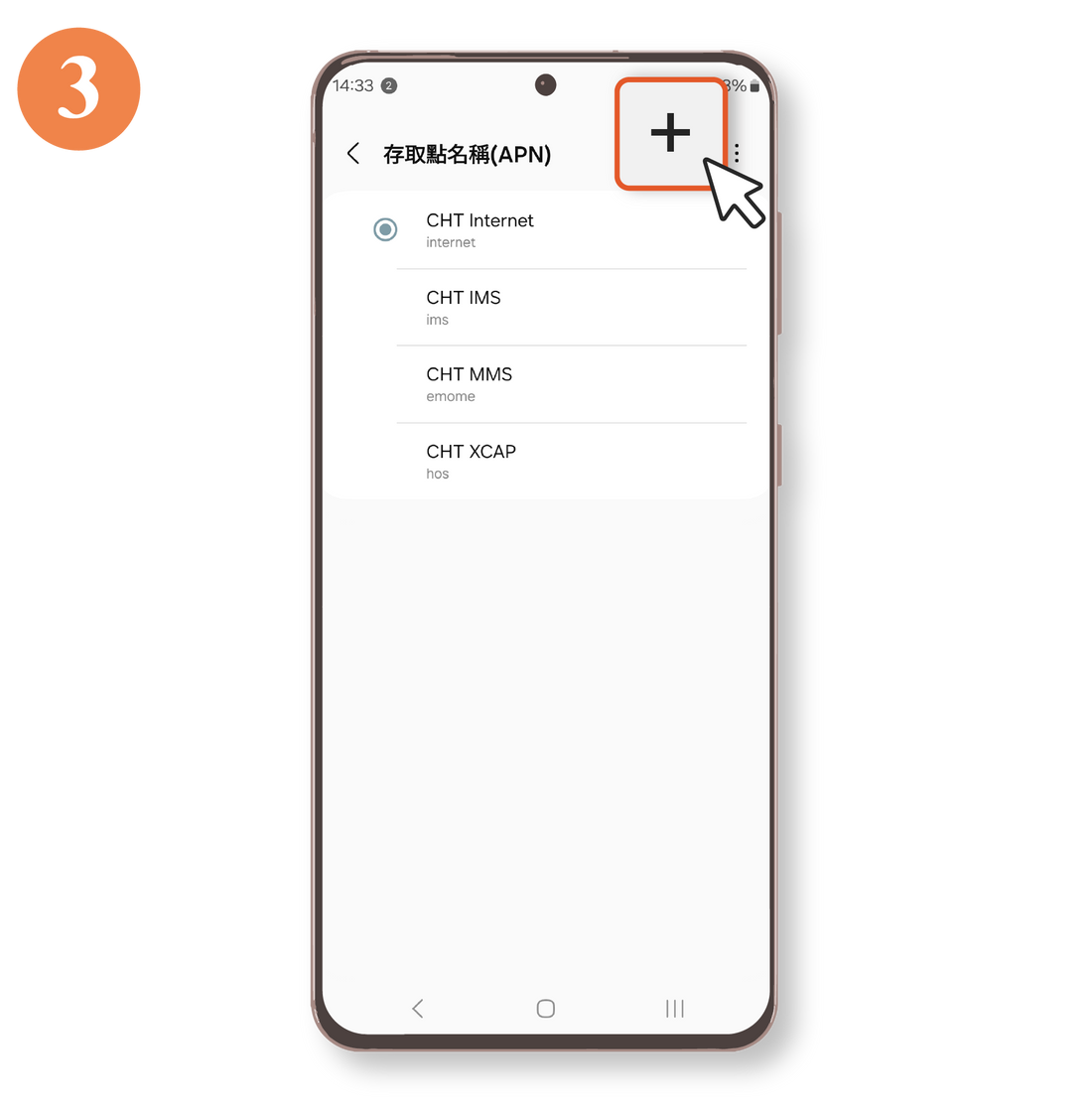
Click " Add ".
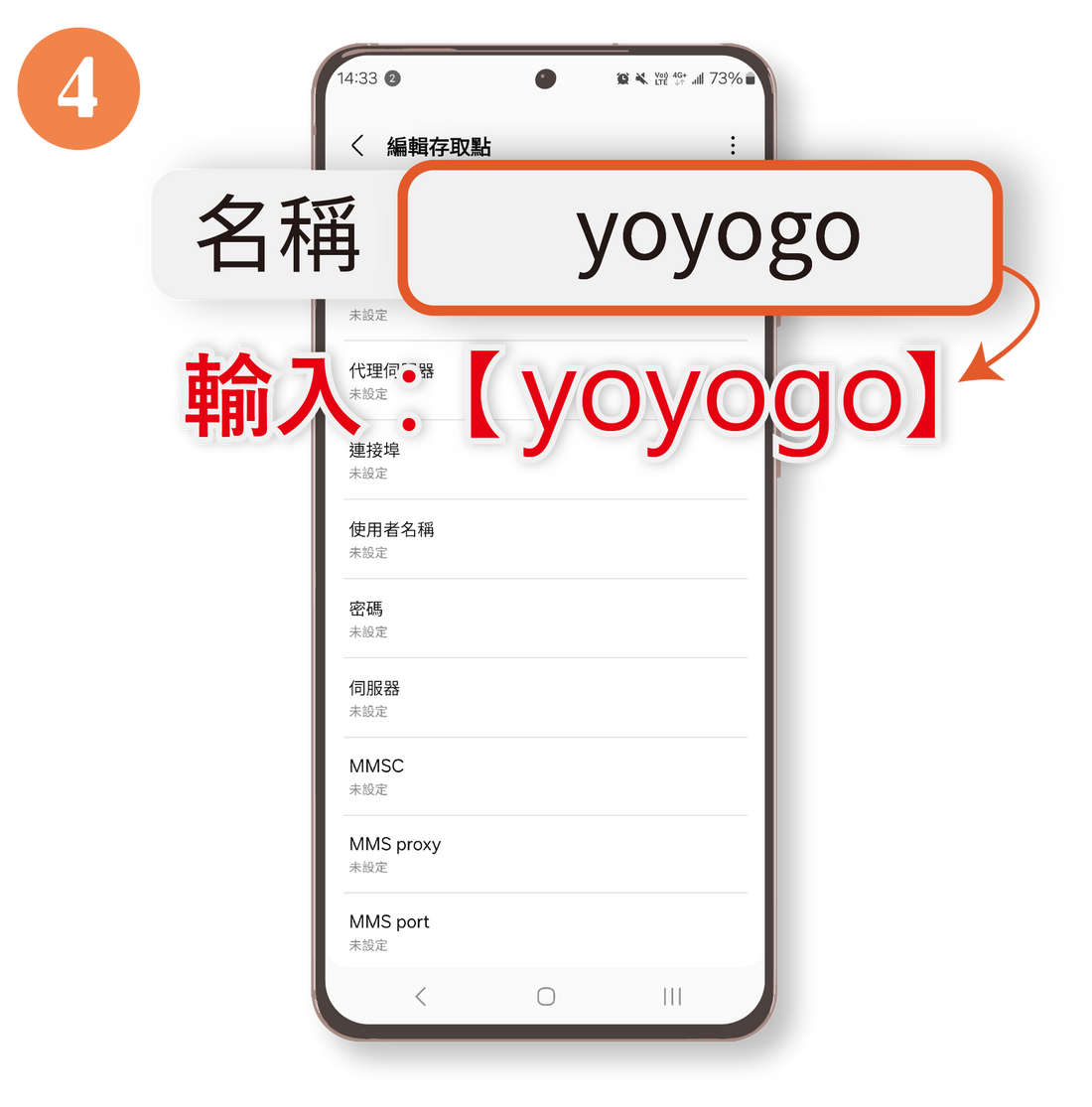
Enter "yoyogo " in the first field, " Name ".
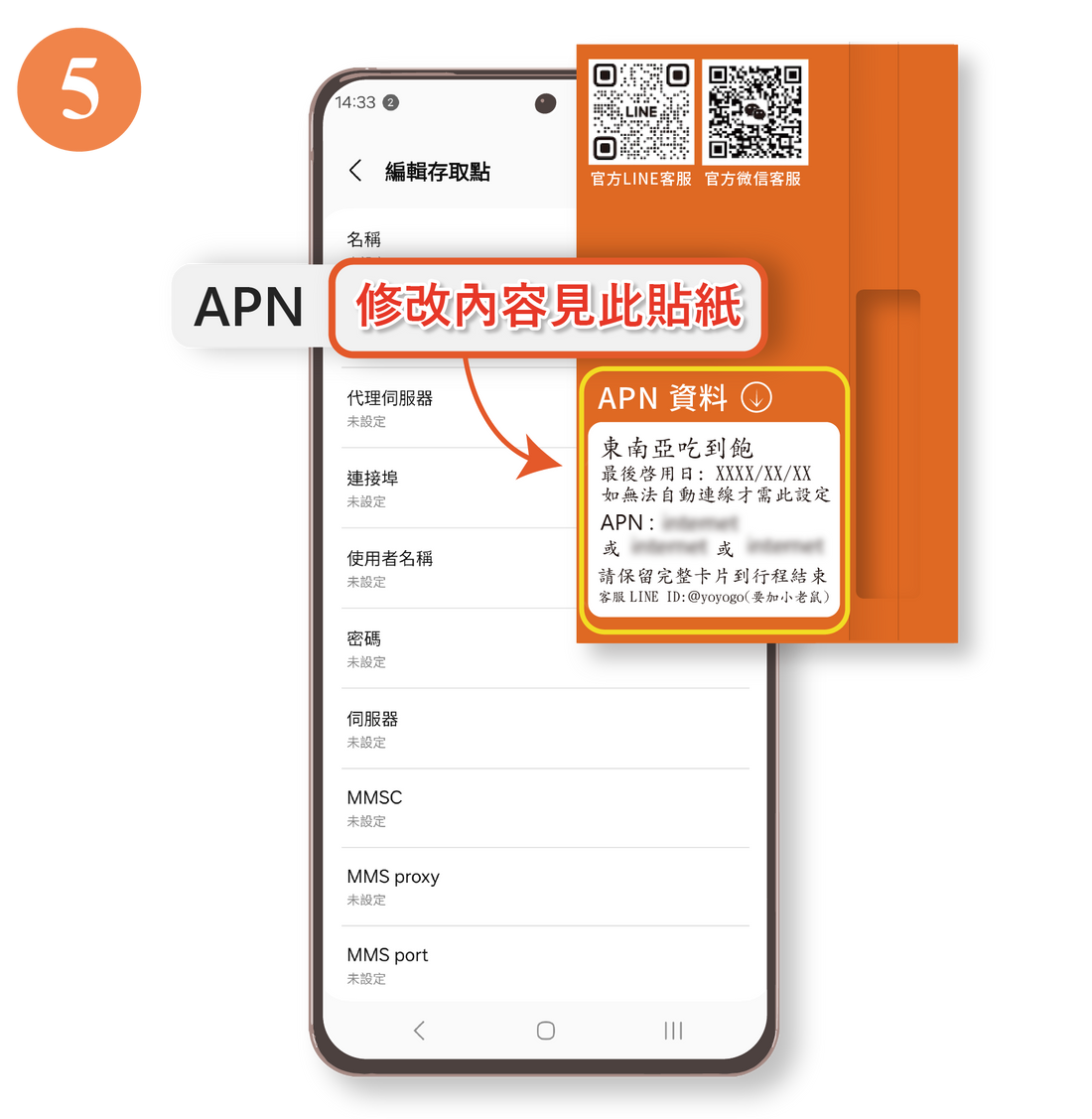
Modify " APN "
⚠️The "Edit content is shown in this sticker" text in the image is not the APN input content.
Please leave the username and password fields blank.
Only fill in the blank if there is a sticker on the packaging.
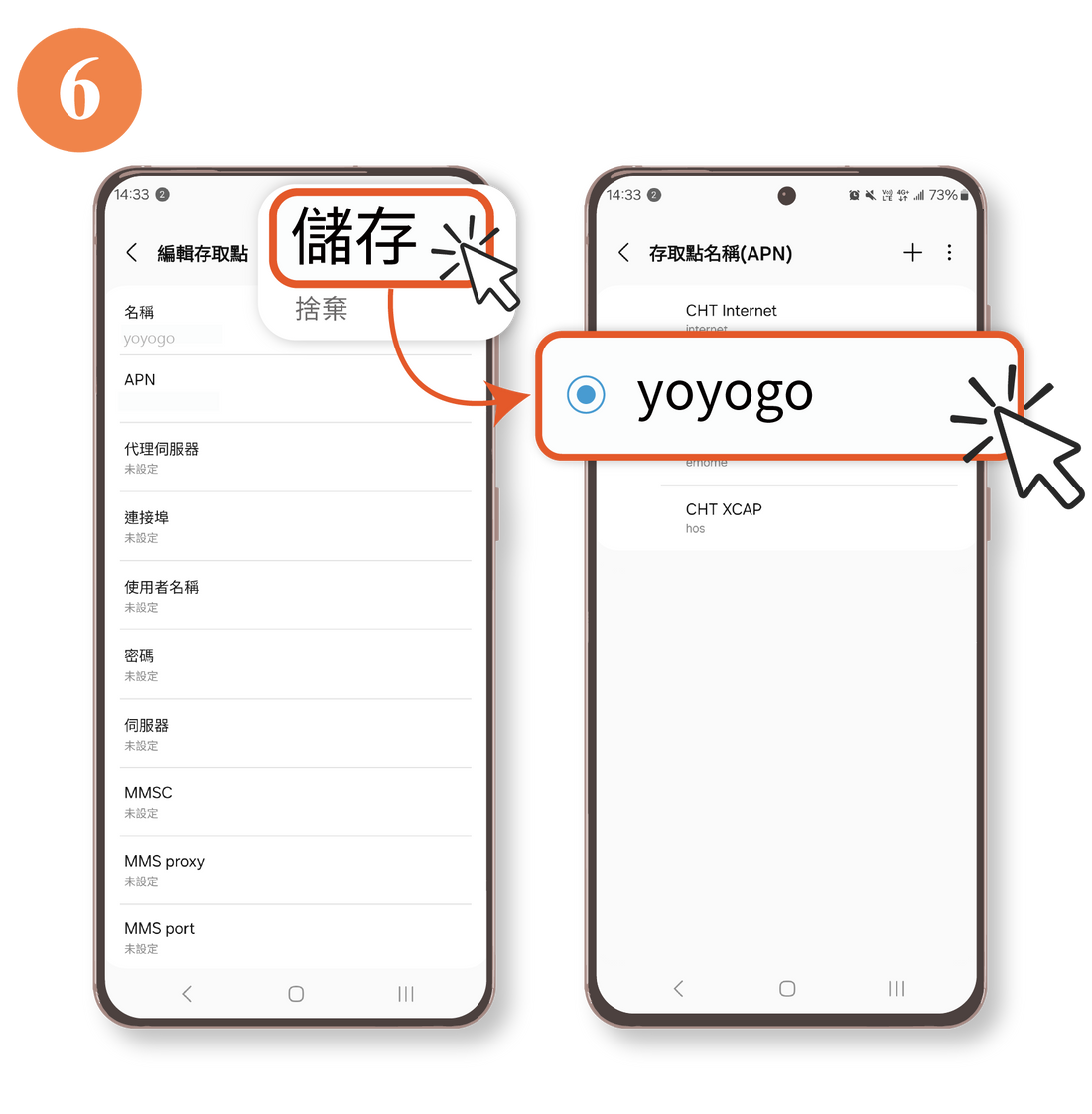
After entering the information, click " Save " and select this setting.
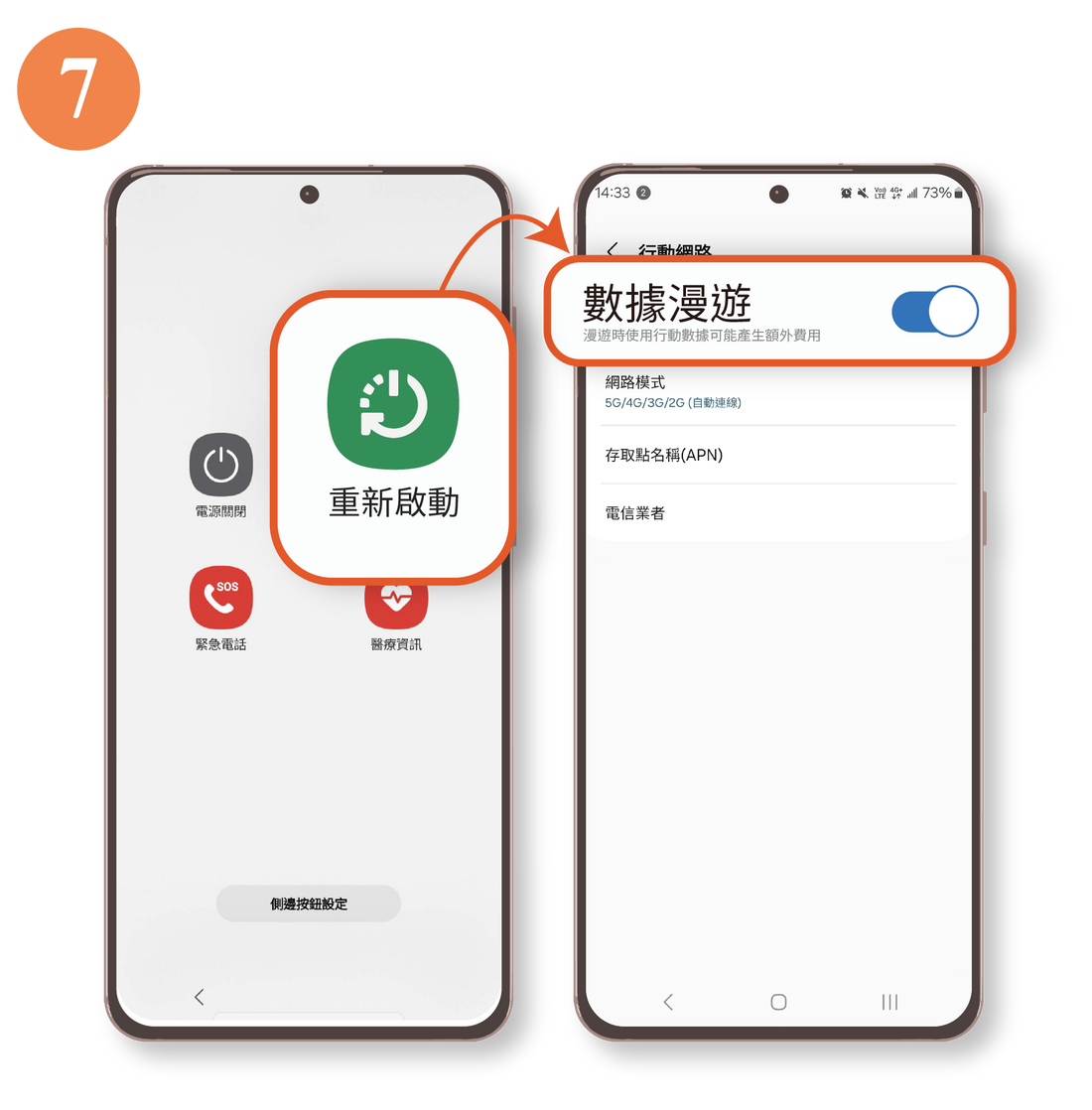
Re-enable " Data Roaming " after restarting the device.

Please contact our specialist if you have any questions.